
Compress PDF
Shrink a PDF for email, portals and messaging apps while the text stays sharp.
Want a different page size, such as A4 or Letter? Use Resize PDF
- Free: Free to use. No signup requiredFree to useNo signup required
- On device: Stays on your device. Only very large files are uploadedStays on your deviceOnly very large files are uploaded
- Fast: Fast processing. Optimized for speedFast processingOptimized for speed
- All devices: Works on all devices. Desktop, tablet and mobileWorks on all devicesDesktop, tablet and mobile
Loading the Compress PDF workspace… Files are processed securely and deleted automatically.
Why use this tool
Your files are safe
Your file stays on your device; only a file too big for your browser is sent over an encrypted connection to our servers, deleted within 2 hours, and never viewed by a person.
Files up to 2 GB
One task can be up to 2 GB for this tool. Free, with no account.
Works everywhere
Use Siliph on desktop, tablet and mobile. No installation required.
Step by step
How to compress a PDF and reduce its file size
Get it done in 3 simple steps.
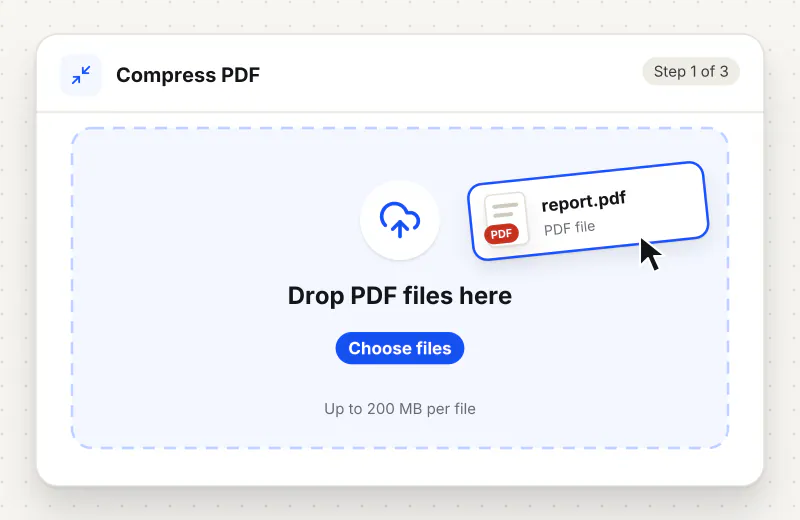
Step 1: Upload your PDF
Drag your PDF into the drop zone, or click Choose PDF files. One PDF can be up to 2 GB.
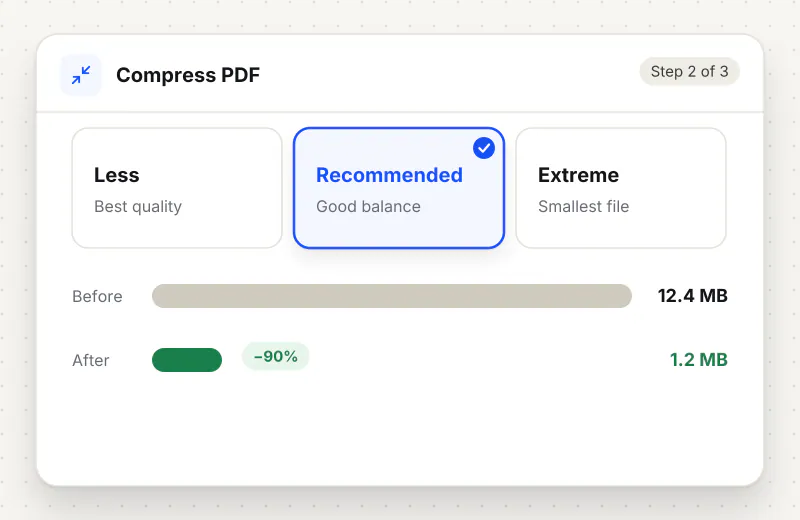
Step 2: Pick a level or a target size
Choose Less, Recommended or Extreme compression, or select a preset such as 100 KB or 200 KB. Type a custom value between 20 KB and 5000 KB if your portal asks for something else.
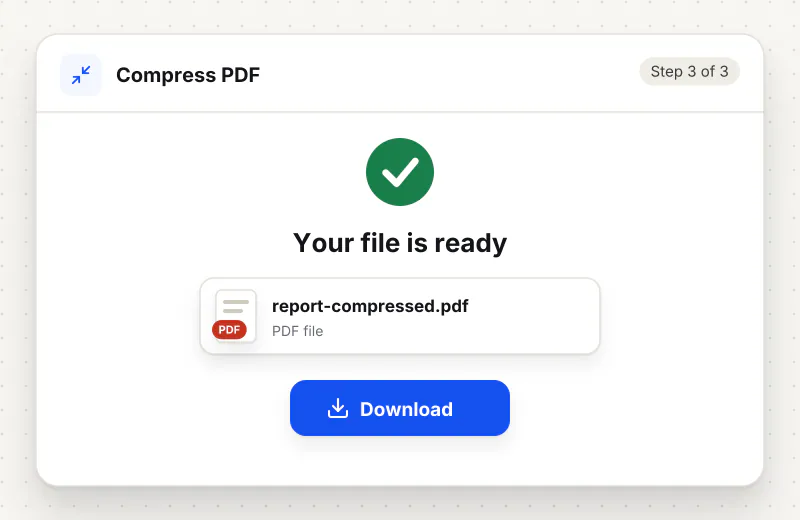
Step 3: Compress and download
Click Compress PDF. The result screen shows the old and new size; download the file or run it again with a stronger level.
Compress PDF files while maintaining the best possible quality. Reduce file size for easy sharing via email or web.
- Three levels: Less, Recommended and Extreme
- Target presets from 50 KB to 500 KB, or any size from 20 KB to 5000 KB
- One PDF at a time, up to 2 GB
5.0 out of 5 from 2 ratings
In short
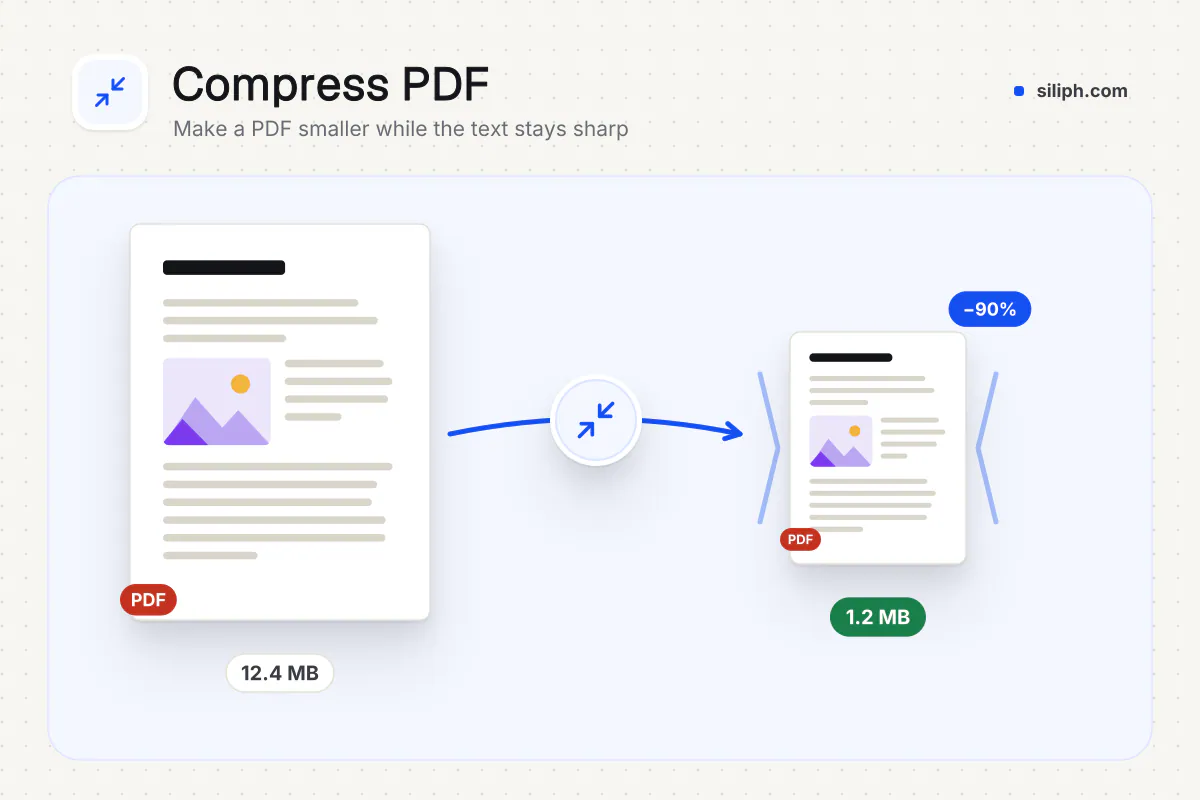
Compress PDF shrinks a PDF by re-encoding its images and removing redundant data while text and vector graphics stay sharp. Choose Less, Recommended or Extreme compression, or set a target such as 100 KB or 200 KB for portal uploads. It is free with no account, accepts files up to 2 GB and deletes uploads within 2 hours.
Features
What you get
Target size presets for portals
One-click presets for 50, 100, 200, 300 and 500 KB match the limits used by exam, government and bank portals, and a custom field accepts any size from 20 KB to 5000 KB.
Three compression levels
Less keeps images close to the original, Recommended balances size and quality for everyday sharing, and Extreme produces the smallest file when size is all that matters.
Large files up to 2 GB
Most PDFs are compressed right in your browser. A file too big for your device goes to our servers, up to 2 GB, and is deleted within 2 hours.
What does Compress PDF do?
Compress PDF rewrites the file with smaller image data and tighter internal structure. Image-heavy scans and photo PDFs shrink the most; a text-only PDF has little to remove, so its size changes less. You pick how far to go: a quality level, or a target size the tool works towards.
Most oversized PDFs come from phone scans and embedded photos stored at print resolution. Compression re-encodes those images at a lower resolution and quality, which is why a 10-page scan can lose most of its weight while a contract typed in Word hardly changes. Text, fonts and vector drawings are kept as they are, so nothing becomes blurry when you zoom in.
Different documents need different settings. A CV or cover letter exported from Word is mostly text, so Less or Recommended keeps it crisp for a recruiter while still removing redundant data. A poster, brochure or photo book carries large pictures; Recommended usually brings it under an email limit, and Extreme is the fallback when a deadline matters more than print detail. A phone scan of a certificate or ID card is the classic oversized file: pick a target such as 200 KB and the tool lowers image detail until the scan fits the portal.
For strict upload caps, use a target size instead of a level. The presets cover the common limits, and the dedicated pages for Compress PDF to 100 KB, Compress PDF to 200 KB and Compress PDF to 500 KB open the tool with that target already selected. If a portal still rejects the file, run it again with Extreme compression or split it with Split PDF and upload the parts. When sharpness matters more than size, Compress PDF Without Losing Quality explains why Less is the safe choice for print.
Compress PDF works on one document at a time. When a submission needs several files, compress each one and then combine the results with Merge PDF, convert colour scans with PDF to Grayscale for a further reduction, or shrink standalone photos with Compress Image before they go into a PDF at all.
Most PDFs are compressed right in your browser, so they stay on your device. A file too big for that is sent over an encrypted connection to our servers, processed automatically with no human access, and deleted within 2 hours. There is no account and no watermark, and there is no daily limit.
Small files stay on your device.
Bigger files use an encrypted upload.
- No account, no sign-up
- Larger files go over HTTPS and are deleted automatically within 2 hours
- Never sold, never viewed by a person
When to use it
- An email provider or form rejects the attachment for being too large
- A government, exam or university portal caps uploads at 100 KB, 200 KB or 500 KB
- A scanned document is several megabytes and slow to send on WhatsApp or Telegram
- You need a lighter PDF for a website or a shared drive without re-scanning
At a glance
Free plan at a glance
What you get on the free plan, and when a paid plan applies.
| Price | Free for personal and business use, with no daily limit |
|---|---|
| File size | Up to 2 GB per task for this tool |
| Where it runs | On your phone or computer; a task too big for your browser (for example over 100 MB on a phone) goes to our servers over a secure connection |
| File deletion | Files sent to our servers are deleted automatically within 2 hours |
Why Siliph
Siliph compared with typical free PDF sites
The right-hand column sums up 5 popular free PDF sites we checked in October 2026.
| Feature | Siliph | Typical free PDF sites |
|---|---|---|
| Account | Not needed | Some sites ask you to sign in to finish or repeat a task |
| Free use | No daily limit | Some sites stop you after a few tasks an hour |
| Where your file goes | Small files stay in your browser; larger ones are uploaded over HTTPS and deleted within 2 hours | Usually uploaded, then deleted after 1 to 2 hours |
| Compress to a target size | Yes: 50, 100, 200, 300, 500 KB presets, or any size from 20 to 5,000 KB | Not offered by most of the 5 sites we checked |
| Strongest compression level | Free | Paid on some sites |
Checked October 2026. Other sites change their plans; check before you rely on a limit.Side-by-side comparisons
Questions about Compress PDF
How do I compress a PDF to 100 KB or 200 KB?
Select the 100 KB or 200 KB preset under Target size before you start. The tool lowers image resolution step by step until the file fits. If a scan cannot reach the target, choose Extreme compression or remove unneeded pages first.
Can I reduce PDF size without losing quality?
Yes, for the text. Text, fonts and vector graphics are untouched at every level, so they stay sharp. Only images are re-encoded: Less keeps them close to the original, Recommended is fine for screens and most printing, and Extreme visibly softens photos in exchange for the smallest file.
Why did my PDF barely shrink?
A PDF made from typed text with no pictures is already small, and the tool has little to remove. Big savings come from scans and photos. If a text PDF is still large, it may embed full fonts or hidden attachments; try Extreme compression, which rebuilds the pages.
What is the largest PDF I can compress?
A single PDF can be up to 2 GB. That is the only limit, and there is no daily task limit. To shrink several PDFs, compress them one after another.
How do I make a PDF smaller for email or WhatsApp?
Recommended compression is usually enough for email attachments. For WhatsApp, Telegram or a fixed portal limit, pick a target size such as 500 KB or 1 MB so the result is guaranteed to fit.
Can I compress a PDF on my phone or a Mac?
Yes. The tool runs in any modern browser on Android, iPhone, iPad, Windows, Mac and Linux, so there is no app to install. Pick the PDF from your phone storage, choose a level or target size, and the smaller copy lands in your downloads.
How do I shrink a scanned PDF for a job or visa application?
Scans are photos of paper, so they shrink a lot. Pick a target size just under the portal's limit, such as 200 KB or 500 KB, or choose Extreme compression. If colour is not needed, switch on Convert to grayscale for an even smaller file.
Does compressing change the page size, such as A4 or Letter?
No. Every page keeps its paper size and layout; only the images inside are made smaller. To turn Letter pages into A4, or give every page the same size, use Resize PDF first, then compress the result if it is still too big.
Is Compress PDF free?
Yes. Every Siliph tool is free, with no account. There is no daily limit, and one PDF can be up to 2 GB.
Is it safe to upload my PDF here?
Files are sent over an encrypted HTTPS connection, processed automatically without anyone viewing them, and deleted from our servers within 2 hours. Download your result and it is gone from our side.
Guides and how-tos
Walk-throughs for common jobs, such as hitting an upload limit or preparing an application.
- GuideCompress a PDF to a specific size for an online form
- GuideCompress a PDF for free on any device
- Step by stepCompress PDF to 100KBShrink your PDF to around 100KB with strong compression. Text stays sharp while images are optimized for the smallest possible size.
- Step by stepCompress PDF to 200KBReduce PDF size to 200KB or just under it for portals with strict upload limits. The target is already set; choose a stronger level if you need an even smaller file.
- Step by stepCompress PDF to 1MBCompress large PDFs to under 1MB with balanced quality, perfect for email attachments and online submissions.
- Step by stepCompress PDF to 300KBMeet 300KB caps used by many job, university and recruitment portals.
- Use casePDF tools for studentsGet an assignment or form under the portal’s upload limit, such as 2 MB or 200 KB.
- Use casePDF tools for real estate agents and landlordsKeep large signed packs under email attachment limits.
Embed this tool on your site
Add Compress PDF to your blog or website for free, with a credit link back to Siliph.
Get the embed code
Embed code (iframe)
<iframe src="https://siliph.com/compress-pdf/?embed=1" title="Compress PDF — Siliph" width="100%" height="620" style="border:0;border-radius:12px;max-width:900px;" loading="lazy" allow="clipboard-write"></iframe>
<p style="font-size:12px;color:#666;margin-top:8px;">Free tool by <a href="https://siliph.com/compress-pdf/" rel="nofollow">Siliph</a></p>
Credit link for blog posts and tool lists
<p style="font-size:12px;color:#666;margin-top:8px;">Free tool by <a href="https://siliph.com/compress-pdf/" rel="nofollow">Siliph</a></p>
Direct link: siliph.com/compress-pdf/
Related PDF tools
Popular ways to use Compress PDF
- Compress PDF for Telegram
- Compress PDF for PM Kisan
- Compress PDF for Ration Card
- Compress PDF for DigiLocker
- Compress PDF for PMFBY Crop Insurance
- Compress PDF for PMAY Urban 2.0
- Compress PDF for Skill India
- Compress PDF for Tamil Nadu Ration Card
- Compress PDF for Kerala Ration Card
- Aswasakiranam Application Form and Documents
- Compress PDF for Parivar Pehchan Patra Haryana
- Compress PDF to 50KB