
Split PDF in Half
Cut each page of a scanned spread or A3 sheet into two pages, in reading order, in one PDF.
- Free: Free to use. No signup requiredFree to useNo signup required
- On device: Stays on your device. Only very large files are uploadedStays on your deviceOnly very large files are uploaded
- Fast: Fast processing. Optimized for speedFast processingOptimized for speed
- All devices: Works on all devices. Desktop, tablet and mobileWorks on all devicesDesktop, tablet and mobile
Loading the Split In Half workspace… Files are processed securely and deleted automatically.
Why use this tool
Your files are safe
Your file stays on your device; only a file too big for your browser is sent over an encrypted connection to our servers, deleted within 2 hours, and never viewed by a person.
Files up to 150 MB
One task can be up to 150 MB for this tool. Free, with no account.
Works everywhere
Use Siliph on desktop, tablet and mobile. No installation required.
Step by step
How to split a PDF in half
Get it done in 3 simple steps.
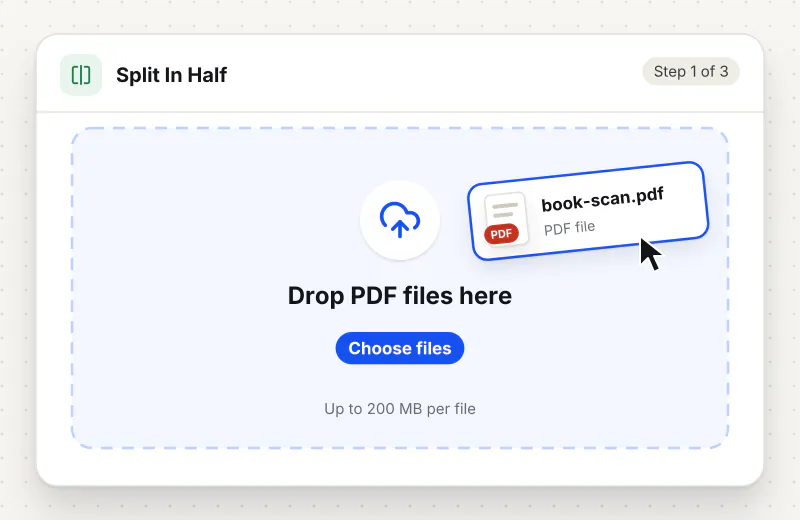
Step 1: Add the PDF
Drop the PDF into the upload area or click Choose a PDF to halve. The file can be up to 150 MB and 2000 pages.
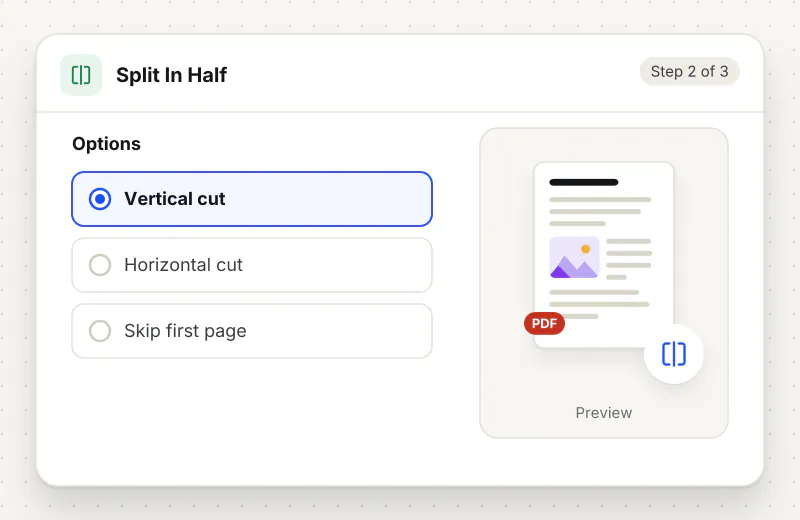
Step 2: Pick how to cut each page
Under Cut each page, choose Left and right for book spreads and side-by-side sheets, or Top and bottom for pages stacked one above the other.
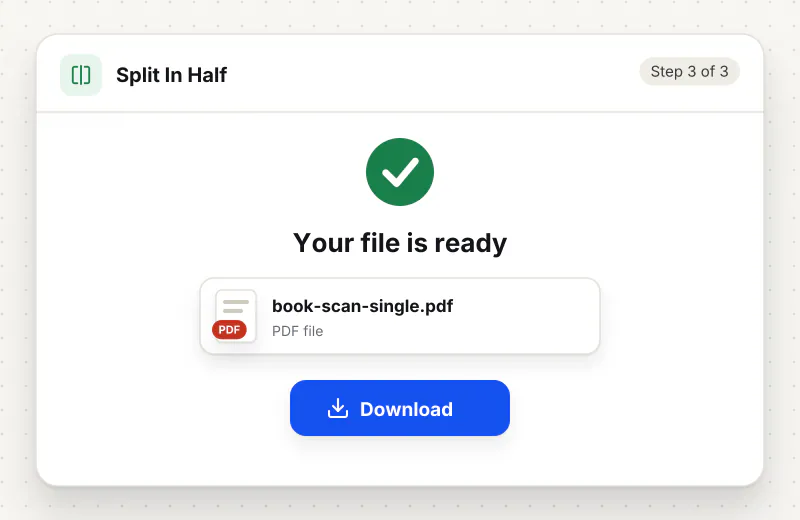
Step 3: Download the halved PDF
Press the button to start. The download is one PDF ending in -halves with twice as many pages. Check that the first two pages are the left and right halves of your first page.
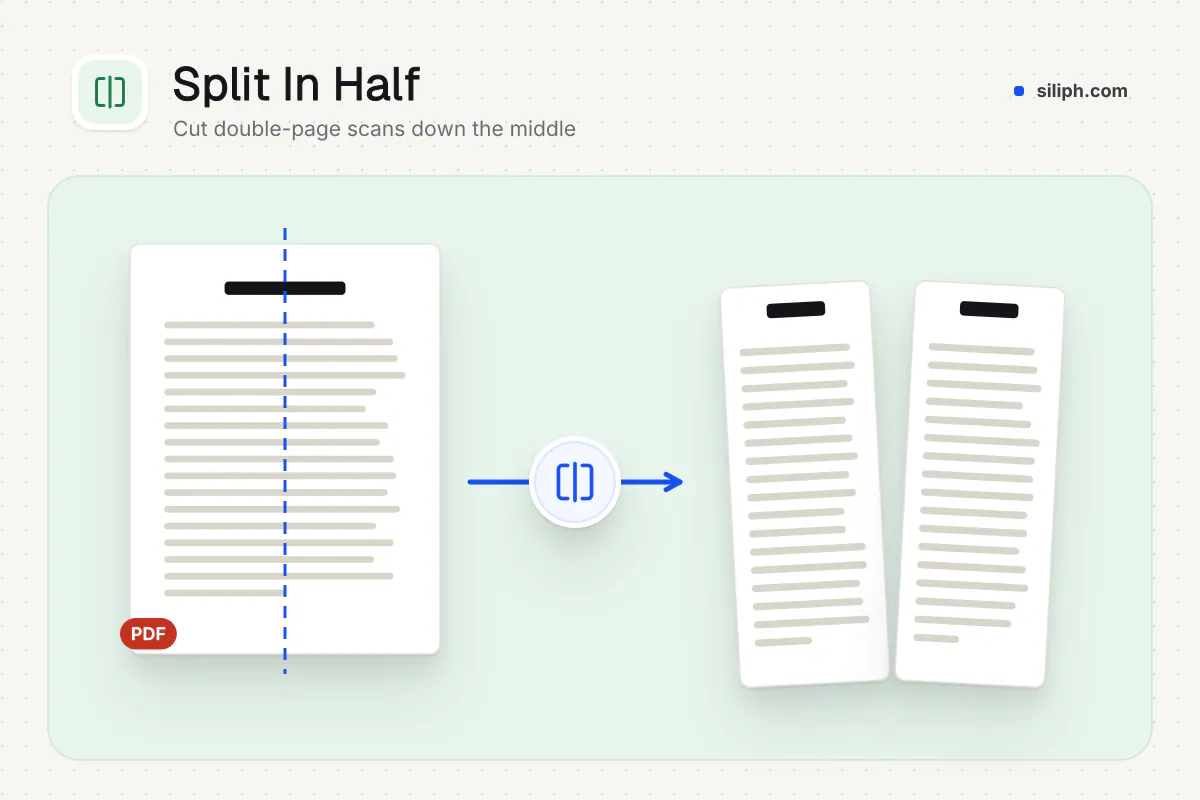
Split two page layout scans, A3 to double A4 or A4 to double A5
- Left and right, or top and bottom halves
- Page order kept: left half, then right half
- One PDF out, pages copied without re-rendering
In short
Split In Half cuts every page of a PDF into two pages, so a scanned two-page spread becomes two single pages. Pick left and right halves or top and bottom halves; you get one PDF in reading order. It is the quick way to split PDF in half: free, needs no account and takes files up to 150 MB.
Features
What you get
Cut down the middle or across
Left and right suits scanned books and two-up sheets. Top and bottom suits forms or labels printed twice on one page. Every page in the file is cut the same way.
Reading order kept
The halves follow each other in the new PDF: left then right, or top then bottom, page after page. A scanned book reads in the right order without any reshuffling.
Nothing re-rendered
The tool changes which part of each page is shown, not the content. Text stays selectable, images keep their resolution and links still work in each half.
What does Split In Half do?
Each page is copied twice. One copy shows only the left half and the other only the right half, or the top and bottom halves if you pick that. A 10-page scan of book spreads becomes a 20-page PDF that reads left page, right page, in order. The halves are set with the page boxes, so text, images and links are not re-rendered or compressed. Rotated pages are cut as they appear on screen.
Phone scans and flatbed scans of open books put two pages on every PDF page. That is hard to read on a small screen, prints badly on A4 and confuses page numbers. Split In Half cuts every page down the middle so each book page becomes its own PDF page, with the left page first and the right page second.
Pick Left and right for spreads and A3 sheets that hold two A4 pages, or Top and bottom for sheets with one copy above the other. If the gutter is not centred, trim the edges with Crop PDF first. Tilted scans cut more cleanly after Deskew PDF. The Split PDF in Half Online page opens this same tool.
This tool cuts pages, not the document. To divide a long file into two shorter files, use Split PDF with a page range, or Split By Size to keep each part under a megabyte cap. To put pages back side by side for printing, N-up PDF does the reverse.
Split In Half is a hybrid tool. Most files are cut in your browser, so the result is ready almost at once. Larger files travel over TLS to our servers, are processed automatically with no human access, and are deleted within 2 hours. There is no account and no watermark, and you can halve as many PDFs as you like, each up to 150 MB and 2000 pages.
Small files stay on your device.
Bigger files use an encrypted upload.
- No account, no sign-up
- Larger files go over HTTPS and are deleted automatically within 2 hours
- Never sold, never viewed by a person
When to use it
- A book was scanned open, so each PDF page shows two book pages side by side
- An A3 sheet holds two A4 pages that need to be printed one per sheet
- A brochure printed two-up has to be read on a phone one page at a time
- A form scanned with two copies on one sheet, one above the other, needs separate pages
At a glance
Free plan at a glance
What you get on the free plan, and when a paid plan applies.
| Price | Free for personal and business use, with no daily limit |
|---|---|
| File size | Up to 150 MB per task for this tool |
| Where it runs | On your phone or computer; a task too big for your browser (for example over 100 MB on a phone) goes to our servers over a secure connection |
| File deletion | Files sent to our servers are deleted automatically within 2 hours |
Questions about Split In Half
Does it cut each page down the middle?
Yes. Every page becomes two pages: the left and right halves, or the top and bottom halves if you choose that. A 10-page scan of spreads gives a 20-page PDF.
In what order do the halves come out?
In reading order. Page 1 left, page 1 right, page 2 left and so on, or top before bottom when you cut across. Everything is in one PDF, not separate files.
What if my PDF has an odd number of pages?
It makes no difference. Each page is cut on its own, so 7 pages give 14 halves. If the last page is a single page rather than a spread, delete its blank half with Delete Pages.
Can I move the cut away from the centre?
Not in this tool; the cut is always at the centre of the page as shown. Crop the uneven margin off with Crop PDF first, then split, and the cut lands on the gutter.
Will the text still be searchable?
Yes. The pages are not turned into images. Each half shows part of the original page, so text that could be selected before can still be selected and searched.
Is Split In Half free?
Yes. It is free, with no account. Each file can be up to 150 MB and 2000 pages, and the result carries no watermark.
Is my file private and secure?
Yes. Split PDF in Half runs on your phone or computer, so your file usually stays there. Only a file too big to handle on your device goes to our servers: it travels over HTTPS, is stored encrypted, is processed by machines with no person looking at it, and is deleted automatically within 2 hours. Siliph never sells your files. How we protect your files
Embed this tool on your site
Add Split In Half to your blog or website for free, with a credit link back to Siliph.
Get the embed code
Embed code (iframe)
<iframe src="https://siliph.com/split-in-half/?embed=1" title="Split In Half — Siliph" width="100%" height="620" style="border:0;border-radius:12px;max-width:900px;" loading="lazy" allow="clipboard-write"></iframe>
<p style="font-size:12px;color:#666;margin-top:8px;">Free tool by <a href="https://siliph.com/split-in-half/" rel="nofollow">Siliph</a></p>
Credit link for blog posts and tool lists
<p style="font-size:12px;color:#666;margin-top:8px;">Free tool by <a href="https://siliph.com/split-in-half/" rel="nofollow">Siliph</a></p>
Direct link: siliph.com/split-in-half/