
Interleave PDF Pages
Weave the pages of two or more PDFs together, one from each file in turn, into a single document.
- Free: Free to use. No signup requiredFree to useNo signup required
- On device: Stays on your device. Only very large files are uploadedStays on your deviceOnly very large files are uploaded
- Fast: Fast processing. Optimized for speedFast processingOptimized for speed
- All devices: Works on all devices. Desktop, tablet and mobileWorks on all devicesDesktop, tablet and mobile
Loading the Alternate & Mix workspace… Files are processed securely and deleted automatically.
Why use this tool
Your files are safe
Your file stays on your device; only a file too big for your browser is sent over an encrypted connection to our servers, deleted within 2 hours, and never viewed by a person.
Up to 20 files
Add several files to one task, 2 GB in total for this tool.
Works everywhere
Use Siliph on desktop, tablet and mobile. No installation required.
Step by step
How to interleave PDF pages
Get it done in 3 simple steps.
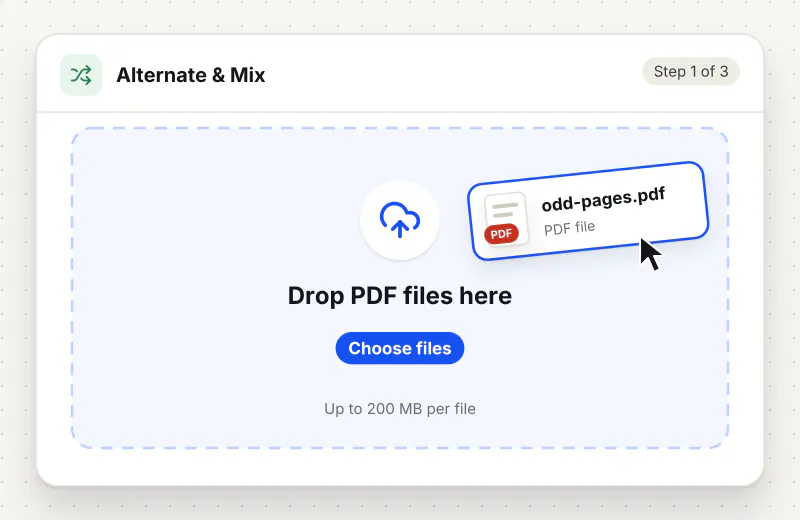
Step 1: Add the first PDF
Drop the PDF whose pages should come first, for example the front sides of a scan, or click Choose PDF files to mix. Then add the file whose pages should follow, such as the back sides.
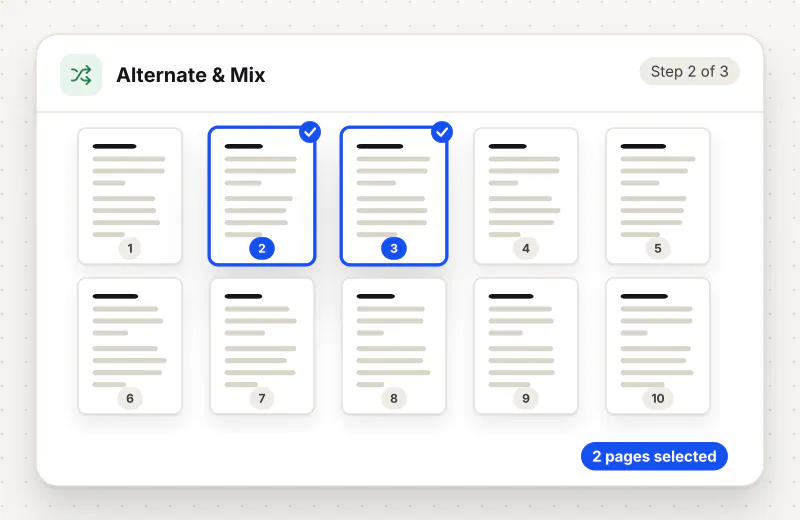
Step 2: Set the order and mix
Drag the files into the order the pages should take turns. If the backs were scanned last page first, switch on Reverse the second file. Then click Mix PDFs.
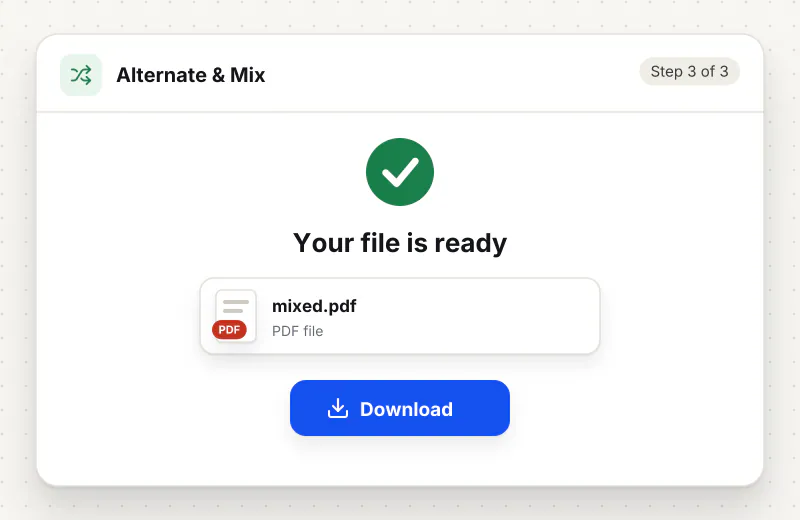
Step 3: Download the mixed PDF
When the progress bar finishes, download the single mixed PDF, named after the first file with -mixed added. Flip through the first few pages to check the rotation is the way round you expected.
Mixes pages from 2 or more documents, alternating between them
- Takes page 1 of every file, then page 2, and so on
- Works with two files or more in one task
- Longer files carry on once a shorter one runs out
In short
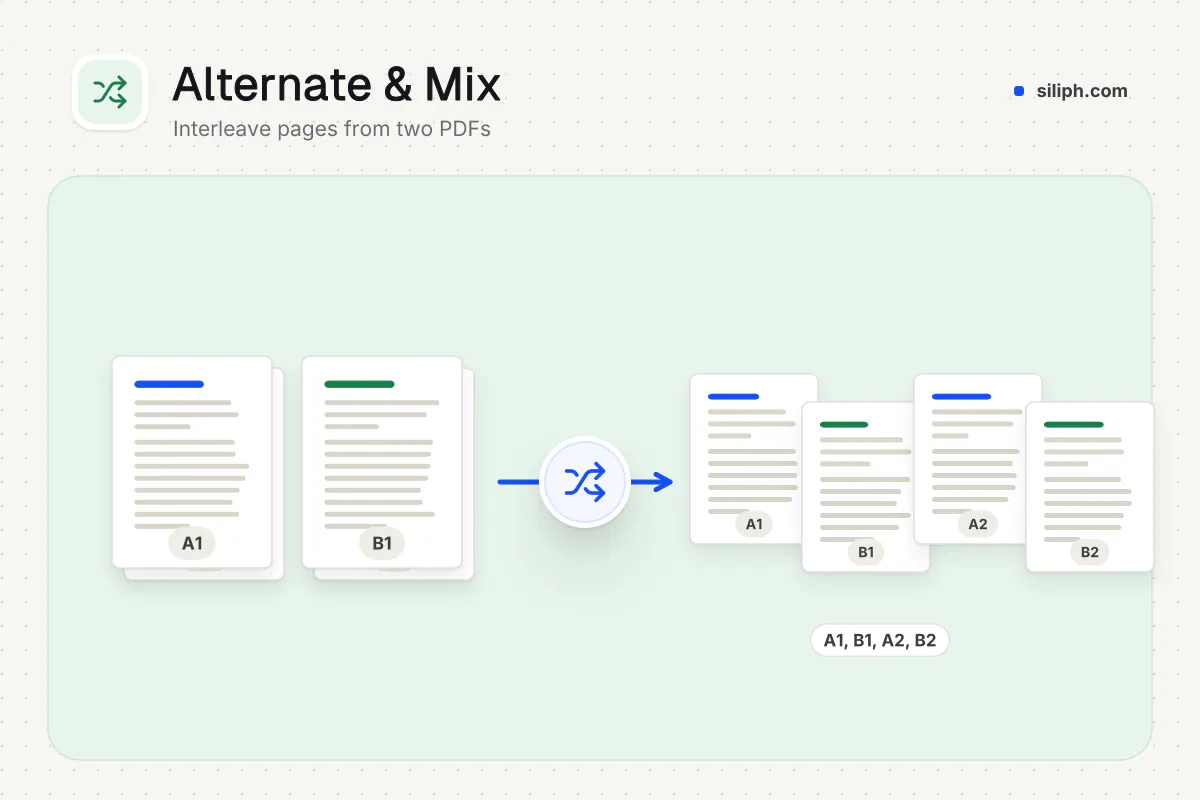
Alternate & Mix interleaves PDF pages from two or more files. It takes the first page of each file in the order you added them, then the second page of each, and keeps going until every page is placed. The result is one PDF. It is free, needs no account and takes files up to 2 GB each.
Features
What you get
Strict one-from-each rotation
The output alternates by page position: page 1 of every file, then page 2 of every file. Drag the files into order first, which makes it the fastest way to rebuild a duplex document from two single-sided scans.
Uneven files handled
If one PDF has more pages than another, the rotation continues with the files that still have pages left, so nothing is dropped from the end of the longer document.
Pages kept as they are
Pages are copied into the new PDF without re-rendering, so text stays selectable, scans keep their resolution and each page keeps its own size and orientation.
What does Alternate & Mix do?
The tool reads each PDF you add and copies its pages into a new document in rotation: file one page 1, file two page 1, file one page 2, file two page 2, and so on. With three or more files the rotation simply includes every file. Pages are copied as they are, so their size, text and images do not change. When a shorter file runs out of pages, the remaining files continue on their own.
Many office scanners feed one side of the paper only. Scan a stack of double-sided forms and you get the fronts, then you turn the stack over and get the backs as a second file. Reading that pair means jumping between two documents. Alternate & Mix puts them back together the way the paper was: front of sheet one, back of sheet one, front of sheet two, and so on, in a single PDF you can file or send.
The order of the file list is the order of the rotation, so put the fronts first and the backs second; drag the files to swap them. One catch with double-sided paper: if you turned the whole stack over to scan the backs, that file runs from the last sheet to the first. Switch on Reverse the second file and the backs are read in the right order. For other fixes, reorder pages in Organize. The Alternate Mix PDF Pages and Interleave PDF Files pages open this same tool.
Interleaving is one of several ways to combine documents. Merge PDF joins whole files end to end instead of alternating them, and it can also mix in JPG and PNG images. After mixing, a sideways back page can be turned with Rotate PDF, blank backs can be removed with Delete Pages, and Add Page Numbers gives the combined file one continuous count.
Alternate & Mix is a hybrid tool. Small sets of files are mixed in your browser and the result appears without a wait. Larger sets are sent over TLS to our servers, processed automatically with no human access, and deleted within 2 hours. It is free to use, there is no account to create, and each file can be up to 2 GB.
Small files stay on your device.
Bigger files use an encrypted upload.
- No account, no sign-up
- Larger files go over HTTPS and are deleted automatically within 2 hours
- Never sold, never viewed by a person
When to use it
- A single-sided scanner gave you one PDF of front pages and another of back pages
- Questions and answer sheets were exported as two files and need to sit side by side
- A bilingual contract has one PDF per language and readers want each page next to its translation
- Slides and their speaker notes came out as separate PDFs
At a glance
Free plan at a glance
What you get on the free plan, and when a paid plan applies.
| Price | Free for personal and business use, with no daily limit |
|---|---|
| File size | Up to 2 GB per task for this tool |
| Files per task | Up to 20 |
| Where it runs | On your phone or computer; a task too big for your browser (for example over 100 MB on a phone) goes to our servers over a secure connection |
| File deletion | Files sent to our servers are deleted automatically within 2 hours |
Questions about Alternate & Mix
How do I combine front and back scans into one PDF?
Add the PDF of front pages first and the PDF of back pages second. The tool takes one page from each in turn, so the output reads front, back, front, back in a single file.
My back pages are in reverse order. What should I do?
Switch on Reverse the second file before you mix. The second file is then read from its last page to its first, which matches a stack that was turned over to scan the backs.
What if the two PDFs have a different number of pages?
The rotation keeps going with whichever file still has pages. A 10-page file mixed with a 7-page file gives 17 pages, with the last three taken from the longer file.
Can I mix more than two PDFs?
Yes. With three files the order is page 1 of each file, then page 2 of each, and so on. The files take turns in the order of the file list, which you can drag to change.
How is this different from Merge PDF?
Merge PDF places whole files one after another. Alternate & Mix takes a single page from each file in turn, which is what you need when two files hold the two sides of the same sheets.
Is Alternate & Mix free to use?
Yes. It is free, with no account. Each PDF can be up to 2 GB, and the result has no watermark.
Is my file private and secure?
Yes. Interleave PDF Pages runs on your phone or computer, so your file usually stays there. Only a file too big to handle on your device goes to our servers: it travels over HTTPS, is stored encrypted, is processed by machines with no person looking at it, and is deleted automatically within 2 hours. Siliph never sells your files. How we protect your files
Guides and how-tos
Walk-throughs for common jobs, such as hitting an upload limit or preparing an application.
Embed this tool on your site
Add Alternate & Mix to your blog or website for free, with a credit link back to Siliph.
Get the embed code
Embed code (iframe)
<iframe src="https://siliph.com/alternate-mix/?embed=1" title="Alternate & Mix — Siliph" width="100%" height="620" style="border:0;border-radius:12px;max-width:900px;" loading="lazy" allow="clipboard-write"></iframe>
<p style="font-size:12px;color:#666;margin-top:8px;">Free tool by <a href="https://siliph.com/alternate-mix/" rel="nofollow">Siliph</a></p>
Credit link for blog posts and tool lists
<p style="font-size:12px;color:#666;margin-top:8px;">Free tool by <a href="https://siliph.com/alternate-mix/" rel="nofollow">Siliph</a></p>
Direct link: siliph.com/alternate-mix/