

PDF to Excel Converter
Pull the tables and numbers out of a PDF into an Excel sheet you can sort, filter and total.
Convert PDF to Excel or CSV online for free. Extract table data from PDF Siliph is free for personal use and needs no account. Many tools work right on your device; the others use secure servers in Europe and India and delete your files within 2 hours.
- Layout preserved
- Batch convert up to 20 files
- Free with no watermarks
- Sent over an encrypted connection
- Files deleted after 2 hours
- Free, no signup, no watermark
Loading the PDF To Excel workspace… Files are processed securely and deleted automatically.
PDF to Excel Converter in short
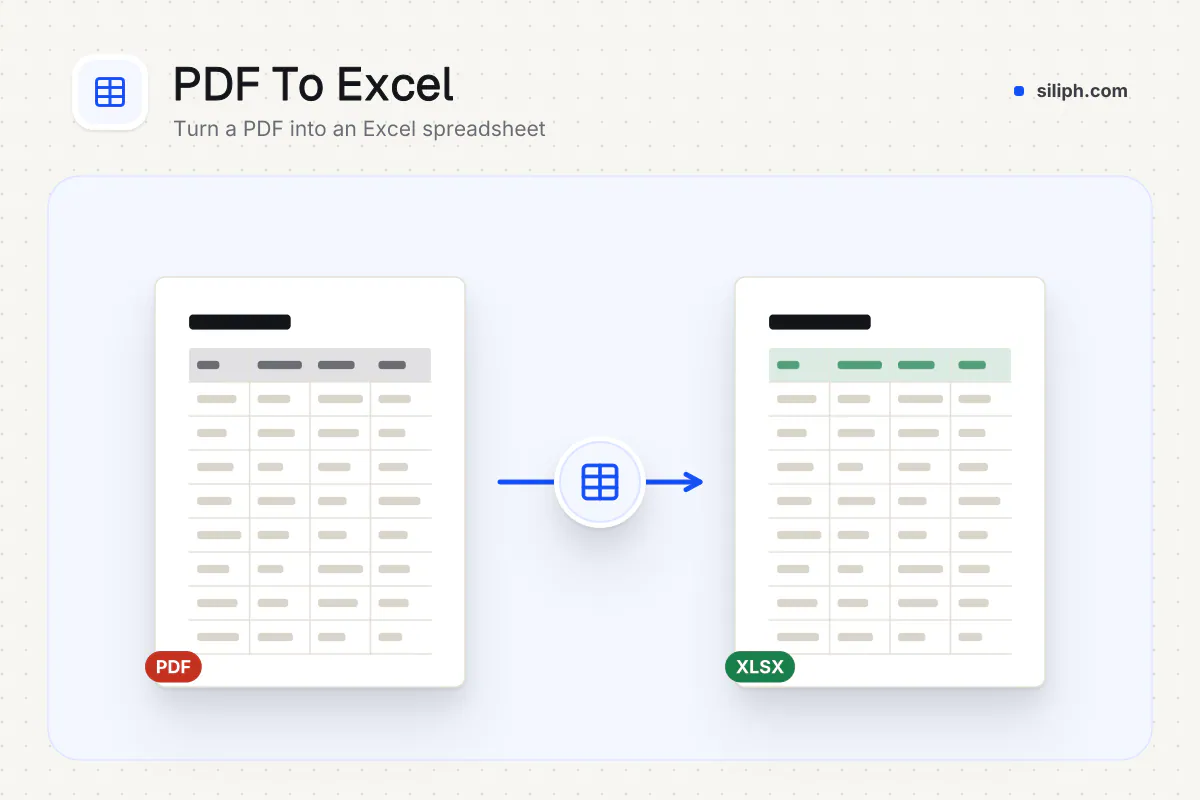
The PDF to Excel converter reads the text in a PDF, lines it up in rows and columns and saves an XLSX file, so figures from a statement or report land in cells you can sum and sort. It is free with no email or account, takes files up to 300 MB and deletes uploads within 2 hours.
Step by step
How to convert PDF to Excel
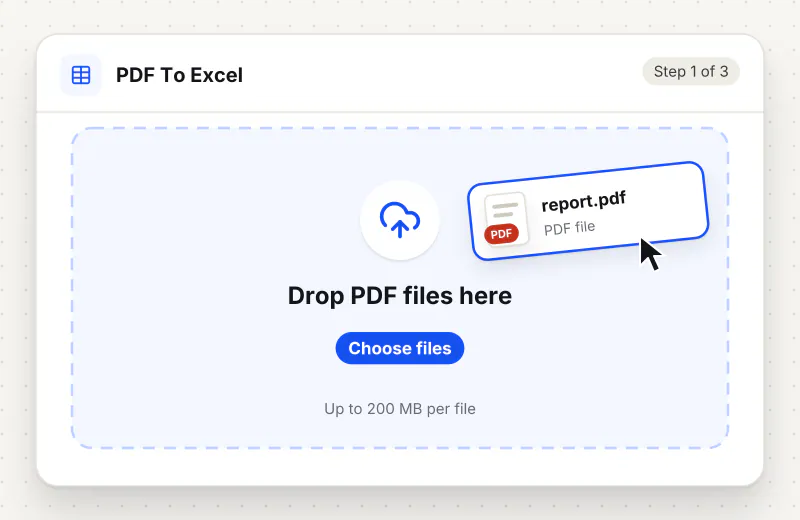
Step 1: Upload the PDF
Drag the PDF into the drop zone or click Choose a PDF file. It can be up to 300 MB and 2000 pages. If it is a scan, run OCR PDF on it first so there is text to read.
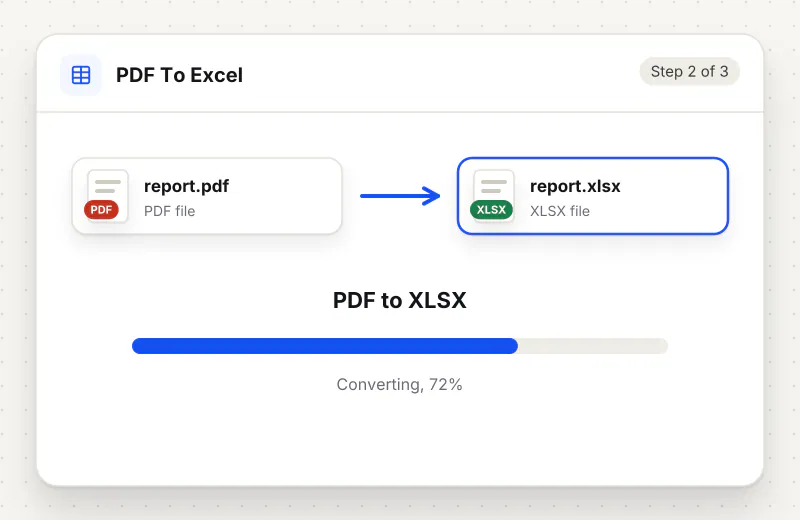
Step 2: Start the conversion
There are no options to set. Click Convert to Excel and the converter reads each page, lines the text up into columns and builds the spreadsheet while the progress bar runs.
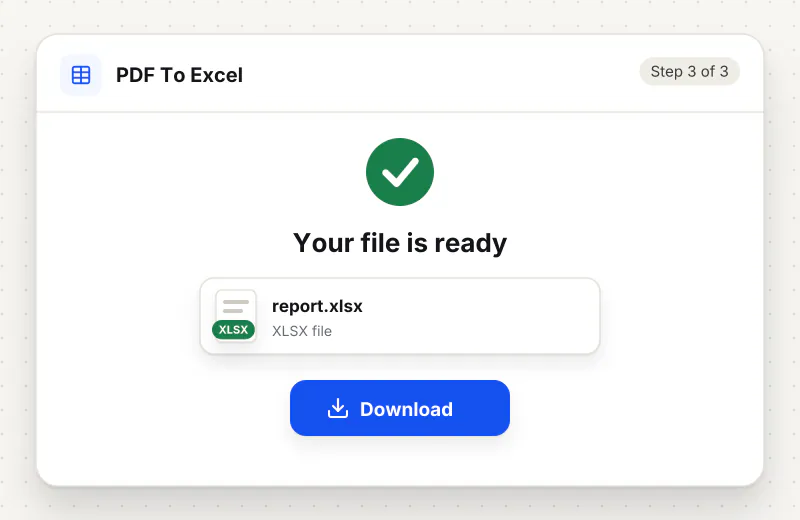
Step 3: Download the XLSX
Download the workbook and open it in Excel, Google Sheets or LibreOffice Calc. Check that totals and dates sit in the right columns before you build formulas on them.
Features
What PDF to Excel Converter gives you
Real cells, not a picture of a table
Each value lands in its own cell, so amounts can be summed, sorted and filtered at once instead of being retyped from the PDF one line at a time.
Columns follow the page layout
The converter keeps the horizontal spacing of the PDF and splits each line where the gaps are, so a statement with date, description and amount columns stays in three columns.
Clear message on scanned files
If a PDF holds only images, the converter says so and points you to OCR PDF, rather than handing back an empty workbook you only discover later.
What does PDF to Excel Converter do?
A PDF table is just text placed at fixed positions; there are no real cells inside it. The converter reads that text with its layout, splits each line into columns where the gaps fall, and writes the rows into an Excel workbook. Numbers become cell values you can use in formulas. Fonts, colours and borders from the PDF are not copied.
Copying a table out of a PDF and pasting it into Excel usually dumps every row into one column, or breaks numbers across cells. That happens because a PDF stores positioned text, not a grid. The PDF to Excel converter reads the text together with its spacing and rebuilds the grid. You do not have to hand over an email address, wait for a link or create an account; the workbook downloads straight from the page. Our guide on how to convert PDF to Excel for free compares this with copying through Excel itself.
Results are best with PDFs exported from accounting software, banking portals or Excel itself, where columns are evenly spaced. Statements with wrapped descriptions, merged header cells or two tables side by side may need a tidy-up: a long description can spill into the next row, and a header can shift by one column. Scanned statements have no text at all, so run OCR PDF first, then convert the searchable copy.
Pick the tool by what you need next. When the figures should stay in a document, PDF to Word keeps tables inside paragraphs, and PDF to Text gives plain lines for a quick copy. When your analysis is done, Excel to PDF turns the workbook back into a print-ready file. To convert only the table pages of a long report, cut them out first with Extract Pages.
Most uploads fall into a few groups. Bank and card statements become a list of dates, descriptions and amounts you can sort by month or total by category. Supplier invoices and price lists turn into rows you can compare against last quarter. Research tables from a paper or a government report can be charted once the figures sit in cells. Every page of the PDF lands on one sheet, with a blank row where each page ended, so delete the repeated header rows that a statement prints on every page and the data reads as one continuous table.
PDF to Excel runs on our servers. The PDF is sent over an encrypted connection, converted automatically without anyone reading your numbers, and removed together with the spreadsheet within 2 hours. That matters for bank statements and payroll reports, which carry account numbers and salaries. No account or email address is asked for.
Every file is encrypted.
On the way to us and while stored.
- Sent over HTTPS
- Deleted automatically within 2 hours
- Never sold, never viewed by a person
When to use PDF to Excel Converter
- Your bank only offers statements as PDF and you want to total spending by category
- A supplier sent a price list as a PDF and you need to compare it with last year
- Figures in an annual report must go into your own chart or model
- An invoice register exported to PDF has to be reconciled against your accounts
At a glance
PDF to Excel Converter: free at a glance
What you get on the free plan, and when a paid plan applies.
| Price | Free for personal use, up to 30 tasks in any 24 hours |
|---|---|
| File size | Up to 300 MB per task |
| Files per task | Up to 20 on the free plan (up to 100 on paid plans) |
| Account | Not needed |
| Where it runs | On our servers, over an encrypted connection |
| File deletion | Deleted automatically within 2 hours |
| Watermark | None |
| Business use | Paid plans from ₹399 a week |
Why Siliph
PDF to Excel Converter on Siliph and on typical free PDF sites
The right-hand column sums up 5 popular free PDF sites we checked in October 2026.
| Feature | Siliph | Typical free PDF sites |
|---|---|---|
| Account for personal use | Not needed | Some sites ask you to sign in to finish or repeat a task |
| Free use | Up to 30 tasks in any 24 hours, 20 files a task | Some sites stop you after a few tasks an hour |
| Where your file goes | Uploaded over HTTPS and deleted within 2 hours | Usually uploaded, then deleted after 1 to 2 hours |
Checked October 2026. Other sites change their plans; check before you rely on a limit.Side-by-side comparisons
Questions about PDF to Excel Converter
Will my PDF table keep its columns in Excel?
Usually, yes. The converter splits each line where the gaps fall on the page, so evenly spaced tables come out in clean columns. Wrapped text and merged headers can shift by a cell, so scan the result once.
Can I convert a scanned bank statement to Excel?
Not directly. A scan is a picture with no text, so the converter has nothing to read and will tell you so. Run OCR PDF first to add a text layer, then convert the searchable PDF to Excel.
Does the converter create XLSX or CSV?
It creates an XLSX workbook, which opens in Excel, Google Sheets and LibreOffice Calc. If you need CSV, open the file and use Save As or Download as CSV from your spreadsheet program.
Why are numbers stored as text in my spreadsheet?
Currency signs, thousands separators or trailing minus signs can stop a spreadsheet from reading a value as a number. Select the column, use Text to Columns or Find and Replace to remove the symbols, and the values become numbers again.
Is it safe to convert a bank statement to Excel here?
The statement travels over an encrypted connection, is converted automatically with no one reading it, and is deleted with the spreadsheet within 2 hours. Fonts, colours and borders are not copied, only the text and numbers.
How big a PDF can I convert to Excel?
Each PDF can be up to 300 MB and 2000 pages. For a long annual report, convert just the table pages: pull them out with Extract Pages first and the spreadsheet is easier to work with.
Does a multi-page PDF become several sheets in Excel?
No. Every page goes into the same sheet, one after another, with a blank row marking where each page ended. That keeps a long statement in one list you can sort and filter; split it into tabs in Excel afterwards if you prefer one sheet per page.
Can I convert PDF to Excel without giving an email address?
Yes. There is no email field, no sign-up and no download link sent to your inbox. The XLSX file downloads in the page as soon as the conversion finishes, with no watermark. The tool is free for personal use.
Guides for PDF to Excel Converter
Walk-throughs for common jobs, such as hitting an upload limit or preparing an application.
Embed this tool on your site
Add PDF To Excel to your blog or website for free, with a credit link back to Siliph.
Get the embed code
Embed code (iframe)
<iframe src="https://siliph.com/pdf-to-excel/?embed=1" title="PDF To Excel — Siliph" width="100%" height="620" style="border:0;border-radius:12px;max-width:900px;" loading="lazy" allow="clipboard-write"></iframe>
<p style="font-size:12px;color:#666;margin-top:8px;">Free tool by <a href="https://siliph.com/pdf-to-excel/" rel="nofollow">Siliph</a></p>
Credit link for blog posts and tool lists
<p style="font-size:12px;color:#666;margin-top:8px;">Free tool by <a href="https://siliph.com/pdf-to-excel/" rel="nofollow">Siliph</a></p>
Direct link: siliph.com/pdf-to-excel/