

PNG to PDF Converter
Put screenshots, charts and scanned forms saved as PNG into one PDF, each on a page cut to the picture or on the paper size you pick.
Select one or multiple PNG images and convert them into a single compiled PDF document instantly. Supports formatting, sorting, and margins. Siliph is free for personal use and needs no account. Many tools work right on your device; the others use secure servers in Europe and India and delete your files within 2 hours.
- Looks exactly like the original
- Batch convert up to 20 files
- Searchable, selectable output
- Sent over an encrypted connection
- Files deleted after 2 hours
- Free, no signup, no watermark
Loading the PNG to PDF workspace… Files are processed securely and deleted automatically.
PNG to PDF Converter in short
PNG to PDF places each PNG image on its own page and saves the set as one PDF. By default every page takes the exact size of its picture, with no margin; for print, pick A4, Letter, Legal or A3, a margin and an orientation. The pixels are embedded unchanged. It is free for personal use and needs no account.
Step by step
How to convert PNG to PDF
Step 1: Add your PNG images
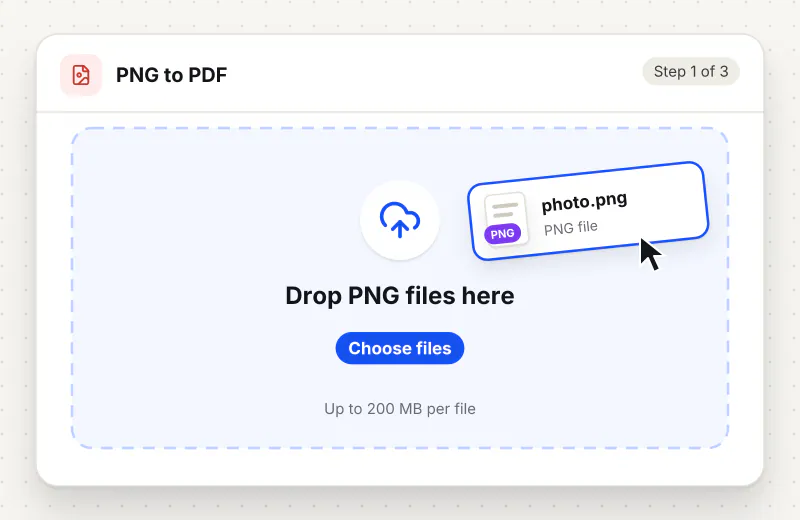
Drag up to 20 PNG files into the drop zone or click Choose PNG files. The first file becomes page one; drag files up or down in the file list to change the order.
Step 2: Choose the page layout
Page size starts on Fit to image with a 0 mm margin, so each page is cut to its picture. For print, pick A4, Letter, Legal or A3, then Portrait, Landscape or Match each image, and type a Margin (mm). Switch on One PDF per image for separate files.
Step 3: Start the conversion
Click Convert to PDF and the tool builds the PDF, placing each picture on its page, while a progress bar shows each image as it is added.
Step 4: Download the PDF
Click Download. A single image comes back as a PDF with the same name; several images come back as one file called images-combined.pdf, or as a ZIP of separate PDFs when One PDF per image is on.
Features
What PNG to PDF Converter gives you
Pages shaped like your pictures, or paper sized
Fit to image gives each page the width and height of its PNG, so a landscape chart stays landscape and a phone screenshot stays tall. Pick A4, Letter, Legal or A3 instead and every picture is scaled onto the same sheet, never cropped.
Pixels kept exactly as they are
The PNG data is embedded without being resized or turned into JPG, so fine text in a screenshot and the hard edges of a diagram look the same in the PDF as in the image viewer.
Many screenshots, one document
Drop a batch of PNG files and get a single PDF back with one image per page. The page order follows the order you added the files, which keeps a step-by-step capture readable.
What does PNG to PDF Converter do?
The converter reads each PNG and embeds it as it is, without resampling or recompressing. With Fit to image, the page follows the picture: a 1920 by 1080 screenshot becomes a wide page and a phone capture a tall, narrow one. With a paper size, the image is scaled to fit inside the margin and centred, never cropped. One image gives a PDF named after it; several give one combined PDF in the order the files were added, or one PDF per image in a ZIP.
PNG is the format most screenshot tools, chart exporters and design apps save by default, because it keeps sharp edges and small text clean. That makes it a good source for a PDF: there is nothing to rescue, only a container to change. The converter takes each picture as it is and, with Fit to image, wraps it in a page of the same proportions. A screenshot of a spreadsheet stays legible, and the thin lines in a floor plan do not pick up the smudgy halo that JPG compression would add.
With Fit to image, a mixed batch gives pages of different shapes in one PDF. That is fine on screen, but a printer wants one sheet size, so pick A4 or Letter under Page size: each screenshot shrinks to fit inside the margin, and Match each image turns the sheet sideways for wide captures. JPG to PDF has the same settings but starts on A4 with a 10 mm margin. Photos from an iPhone saved as HEIC belong in HEIC to PDF, and pictures saved from a browser as WebP go through WebP to PDF. A mixed folder of formats can also start from Images to PDF Converter.
Large screenshots make heavy PDFs, since PNG keeps every pixel. If a portal or email limit gets in the way, send the result through Compress PDF, which re-encodes the images and usually removes most of the weight. To join the new pages to a report you already have, use Merge PDF. Going the other way, PDF to PNG renders each page of a PDF back into an image.
Smaller batches are converted right in your browser. Larger batches use an encrypted upload, are handled automatically with no human access and are deleted from our servers within 2 hours. The tool is free, needs no account and adds no watermark to the pages.
Small files stay on your device.
Bigger files use an encrypted upload.
- No account, no sign-up
- Larger files go over HTTPS and are deleted automatically within 2 hours
- Never sold, never viewed by a person
When to use PNG to PDF Converter
- A bug report or support ticket asks for one PDF instead of a dozen loose screenshots
- A chart or diagram exported as PNG has to go into a document pack that only takes PDF
- A form you filled in on screen was saved as PNG and the office wants it as a PDF attachment
- You captured a long web page as several PNG pieces and want them in one file, top to bottom
- A print shop wants every screenshot on an A4 or Letter page with a white margin
At a glance
PNG to PDF Converter: free at a glance
What you get on the free plan, and when a paid plan applies.
| Price | Free for personal use, up to 30 tasks in any 24 hours |
|---|---|
| File size | Up to 150 MB per task |
| Files per task | Up to 20 on the free plan (up to 100 on paid plans) |
| Account | Not needed |
| Where it runs | On your phone or computer for files up to 300 MB on a computer or 100 MB on a phone; bigger files go to our servers over a secure connection |
| File deletion | Files sent to our servers are deleted automatically within 2 hours |
| Watermark | None |
| Business use | Paid plans from ₹399 a week |
Why Siliph
PNG to PDF Converter on Siliph and on typical free PDF sites
The right-hand column sums up 5 popular free PDF sites we checked in October 2026.
| Feature | Siliph | Typical free PDF sites |
|---|---|---|
| Account for personal use | Not needed | Some sites ask you to sign in to finish or repeat a task |
| Free use | Up to 30 tasks in any 24 hours, 20 files a task | Some sites stop you after a few tasks an hour |
| Where your file goes | Small files stay in your browser; larger ones are uploaded over HTTPS and deleted within 2 hours | Usually uploaded, then deleted after 1 to 2 hours |
Checked October 2026. Other sites change their plans; check before you rely on a limit.Side-by-side comparisons
Questions about PNG to PDF Converter
Will my PNG lose quality in the PDF?
No. The image is embedded without resizing or JPG compression, so every pixel in the PDF matches the PNG. Zooming in shows the same detail you see in an image viewer.
Why are my PDF pages different sizes?
With Fit to image, the default, each page is cut to the shape of its picture, so a wide screenshot gives a wide page and a phone capture a tall one. Pick A4, Letter, Legal or A3 under Page size to give every page the same size.
How do I set the page order?
The pages follow the order of the file list. Add the PNG that should be page one first, or drag the files into place in the list before you click Convert to PDF.
Can I add a margin or choose A4 for PNG to PDF?
Yes. Under Page size pick A4, Letter, Legal or A3, choose Portrait, Landscape or Match each image, and type a Margin (mm). Each picture is scaled to fit inside the margin and centred, never cropped. With Fit to image, the margin becomes a white border.
What is the PDF called when I convert several images?
A single PNG comes back as a PDF with the same name, so chart.png becomes chart.pdf. Two or more images come back as one combined file named images-combined.pdf, which you can rename after download.
Can I get one PDF for each PNG?
Yes. With two or more images added, switch on One PDF per image. Each picture becomes its own PDF named after the image, and the files download together as one ZIP.
Is there a watermark or a sign-up step?
No. The PDF has no watermark and there is no account to create. The tool is free for personal use, up to 30 tasks a day.
Is my file private and secure?
Yes. PNG to PDF Converter runs on your phone or computer, so your file usually stays there. Only a file too big to handle on your device goes to our servers: it travels over HTTPS, is stored encrypted, is processed by machines with no person looking at it, and is deleted automatically within 2 hours. Siliph never sells your files. How we protect your files
Embed this tool on your site
Add PNG to PDF to your blog or website for free, with a credit link back to Siliph.
Get the embed code
Embed code (iframe)
<iframe src="https://siliph.com/png-to-pdf/?embed=1" title="PNG to PDF — Siliph" width="100%" height="620" style="border:0;border-radius:12px;max-width:900px;" loading="lazy" allow="clipboard-write"></iframe>
<p style="font-size:12px;color:#666;margin-top:8px;">Free tool by <a href="https://siliph.com/png-to-pdf/" rel="nofollow">Siliph</a></p>
Credit link for blog posts and tool lists
<p style="font-size:12px;color:#666;margin-top:8px;">Free tool by <a href="https://siliph.com/png-to-pdf/" rel="nofollow">Siliph</a></p>
Direct link: siliph.com/png-to-pdf/