

Unlock PDF
Take the password and the print, copy and edit restrictions off a PDF you are allowed to open.
Remove restrictions and password from PDF files Siliph is free for personal use and needs no account. Many tools work right on your device; the others use secure servers in Europe and India and delete your files within 2 hours.
- Removes print and copy restrictions
- Keeps every page exactly as it was
- Works on files locked against printing or copying
- Sent over an encrypted connection
- Files deleted after 2 hours
- Free, no signup, no watermark
Loading the Unlock PDF workspace… Files are processed securely and deleted automatically.
Unlock PDF in short
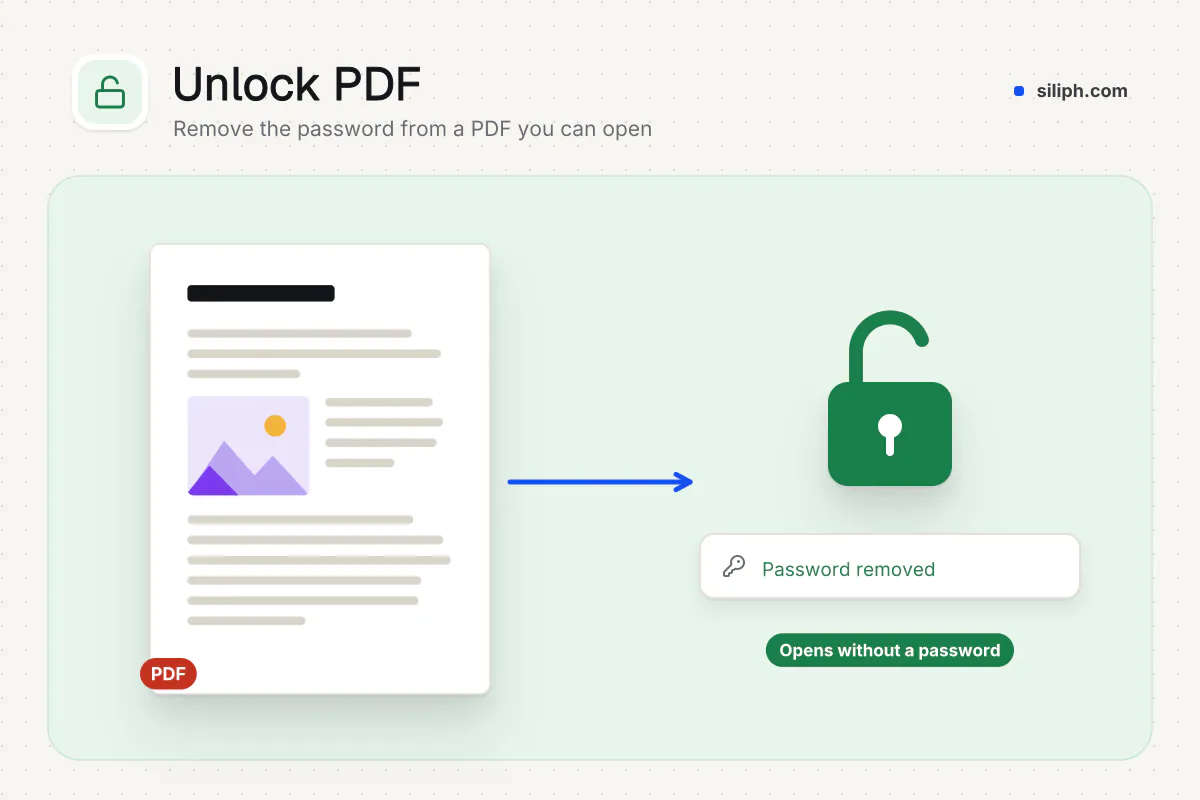
Unlock PDF removes the password and the permission restrictions from a PDF so it opens, prints, copies and edits without a prompt. Type the password for a file that asks for one; owner-only restrictions come off without it. It is free with no account, takes files up to 2 GB and deletes uploads within 2 hours.
Step by step
How to unlock a PDF
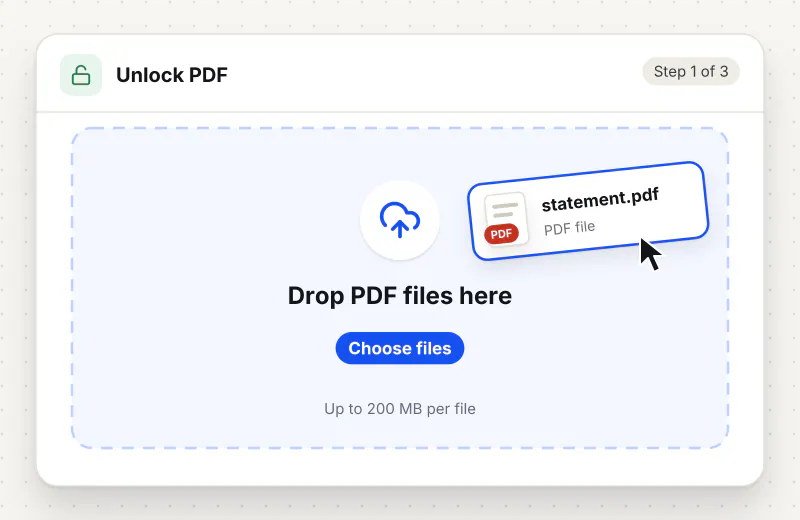
Step 1: Upload the locked PDF
Drop the PDF into the upload area, or click Choose PDF files and pick it from your computer or phone. You can add up to 20 files and 2 GB to one task when they share the same password or only carry restrictions.
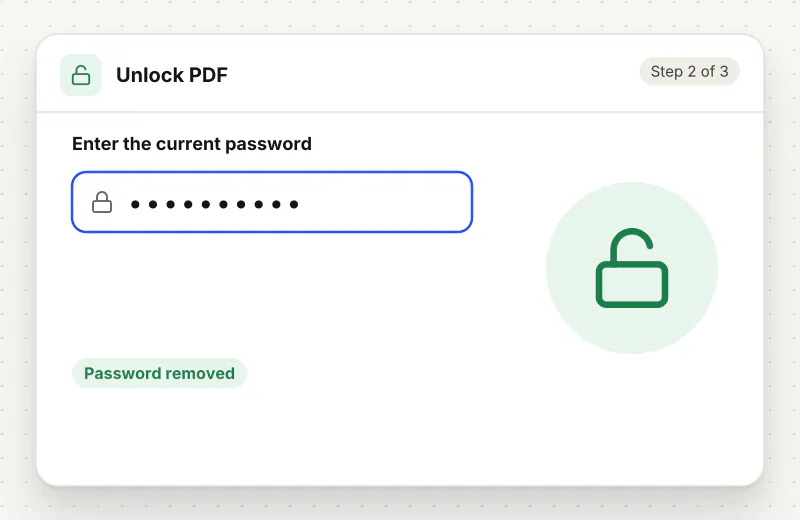
Step 2: Enter the PDF password
Type the password into the PDF password field if the file asks for one before it opens. Leave the field empty when the PDF opens freely but blocks printing, copying or editing; those owner restrictions come off without a password.
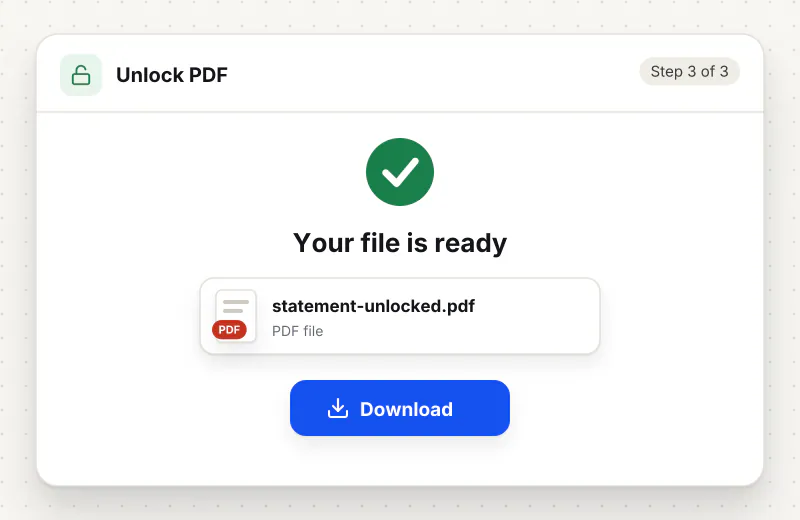
Step 3: Unlock and download
Click Unlock PDF. When the task finishes, download the unlocked copy and open it once to confirm there is no password prompt and that print and copy are available again.
Features
What Unlock PDF gives you
Removes the open password with the password you hold
Type the password once and the tool writes a copy that opens in any viewer without a prompt. It does not guess or crack passwords: a file that is locked for opening stays locked until you supply the right one.
Clears print, copy and edit restrictions without a password
Many PDFs open freely but refuse to print, copy text or accept edits because of owner permissions. Unlock PDF removes those flags directly, so nothing needs to be typed for a file that already opens on its own.
Unlock up to 20 files in one task
Add a folder of statements or scanned contracts and run them together. Each file can be up to 2 GB and 2000 pages, and the unlocked copies download as a set when the task finishes.
What does Unlock PDF do?
A locked PDF carries an encryption dictionary and a set of permission flags. Unlock PDF decrypts the file with the password you supply and writes a plain copy with the flags cleared, so Acrobat Reader, Preview and browser viewers stop asking for a password and no longer grey out print, copy or edit. Pages, fonts, images, bookmarks and form fields are copied as they are; the result is a normal PDF.
PDF locks come in two kinds, and the difference decides what you need to type. An open password (Acrobat calls it a document open password or user password) encrypts the whole file; nothing displays until the password is entered. A permissions password (owner password) leaves the file readable but tells the viewer to disable printing, text copying, editing or commenting. Bank statements, payslips and insurer letters usually carry the first kind. Vendor manuals, exam papers and downloaded reports usually carry the second, which is why they open fine yet refuse to print or let you copy a paragraph.
If the file asks for a password when you open it, type that password into the PDF password field before you start the task; the tool decrypts the file with it and saves a copy that no longer asks. If the file opens on its own but the print or copy commands are greyed out, leave the field empty and run the tool: the owner restrictions are removed without a password. The tool cannot recover a password you do not know, and a rejected password ends the task with an error message. The Remove Password from PDF page opens this same tool, and our guide on how to unlock a PDF covers bank statements, Acrobat and Preview step by step.
Unlocking is usually the first step in a job, not the last. Once the restrictions are gone, Merge PDF will accept the file alongside others, OCR PDF can read a scanned statement, PDF to Word can turn a contract back into editable text, and PDF Editor lets you fill fields or add notes that the lock blocked before. When the edited file goes back out, put a fresh password on it with Protect PDF, or black out account numbers first with Redact PDF. The rest of the set is listed under Security.
Small PDFs are unlocked in your browser; larger or more complex ones use an encrypted upload to our servers, where the file is decrypted automatically with no human access and deleted within 2 hours. Keep the locked original until you have checked the unlocked copy. Unlock PDF is free for personal use and needs no account; a task can hold up to 20 files and 2 GB in total. Use it on documents you own or are permitted to open; removing a lock from a file someone else protected may break the terms under which you received it.
Small files stay on your device.
Bigger files use an encrypted upload.
- No account, no sign-up
- Larger files go over HTTPS and are deleted automatically within 2 hours
- Never sold, never viewed by a person
When to use Unlock PDF
- A bank statement or insurer letter asks for a password every time it opens and you want a plain copy for your records
- A supplier manual or report blocks text copying, so you cannot paste a clause or a table into your own document
- A form arrives with editing disabled and you need to fill it in, annotate it or sign it
- Merge PDF, OCR or a converter refuses the file because it is encrypted
- A document you are entitled to print will not print because printing was switched off
At a glance
Unlock PDF: free at a glance
What you get on the free plan, and when a paid plan applies.
| Price | Free for personal use, up to 30 tasks in any 24 hours |
|---|---|
| File size | Up to 2 GB per task |
| Files per task | Up to 20 on the free plan (up to 100 on paid plans) |
| Account | Not needed |
| Where it runs | On your phone or computer for files up to 300 MB on a computer or 100 MB on a phone; bigger files go to our servers over a secure connection |
| File deletion | Files sent to our servers are deleted automatically within 2 hours |
| Watermark | None |
| Business use | Paid plans from ₹399 a week |
Why Siliph
Unlock PDF on Siliph and on typical free PDF sites
The right-hand column sums up 5 popular free PDF sites we checked in October 2026.
| Feature | Siliph | Typical free PDF sites |
|---|---|---|
| Account for personal use | Not needed | Some sites ask you to sign in to finish or repeat a task |
| Free use | Up to 30 tasks in any 24 hours, 20 files a task | Some sites stop you after a few tasks an hour |
| Where your file goes | Small files stay in your browser; larger ones are uploaded over HTTPS and deleted within 2 hours | Usually uploaded, then deleted after 1 to 2 hours |
Checked October 2026. Other sites change their plans; check before you rely on a limit.Side-by-side comparisons
Questions about Unlock PDF
Can I unlock a PDF without knowing the password?
Only when the lock is a permissions (owner) restriction. A PDF that opens on its own but blocks printing or copying can be unlocked with the PDF password field left empty. A PDF that asks for a password before showing any page needs that password; the tool does not guess or crack it.
Can I unlock a read-only PDF that blocks printing or copying?
Yes. A read-only PDF has a permissions password: the pages display, but printing, copying, editing or commenting are switched off. Leave the password field empty and Unlock PDF lifts those limits. A file that will not open at all has an open password, and you must type that one.
Will unlocking change how the PDF looks?
No. The tool copies pages, fonts, images, bookmarks and form fields as they are and only drops the encryption and the permission flags. Page count, page size and text layout stay the same, so the unlocked copy is the same document without the prompt.
What happens if I type the wrong password?
If the password is rejected, the task reports an error instead of producing an unlocked file. Check caps lock and trailing spaces and try again. If someone else locked the file, ask them for the current password; the tool cannot recover it.
How do I remove the password from a bank statement or e-PAN PDF?
Type the password the sender gave you into the PDF password field; the email or letter that came with the file explains its format, often built from your date of birth, sometimes with your name or customer ID. Run Unlock PDF and the copy opens without asking.
Is it legal to remove a password from a PDF?
Unlocking your own files, or files you were given the password for, is the normal use. Removing restrictions from a document someone else protected may break the terms you received it under, so run the tool on PDFs you own or are allowed to open.
Is Unlock PDF free?
Yes. Unlock PDF is free for personal use, with no account. The free plan takes 2 GB and 20 files per task, up to 30 tasks a day; paid plans take bigger batches.
Is it safe to upload a password-protected PDF here?
Small files are unlocked in your browser. Larger ones travel over an encrypted HTTPS connection, are decrypted automatically with no human access and are deleted from our servers within 2 hours.
Guides for Unlock PDF
Walk-throughs for common jobs, such as hitting an upload limit or preparing an application.
Embed this tool on your site
Add Unlock PDF to your blog or website for free, with a credit link back to Siliph.
Get the embed code
Embed code (iframe)
<iframe src="https://siliph.com/unlock-pdf/?embed=1" title="Unlock PDF — Siliph" width="100%" height="620" style="border:0;border-radius:12px;max-width:900px;" loading="lazy" allow="clipboard-write"></iframe>
<p style="font-size:12px;color:#666;margin-top:8px;">Free tool by <a href="https://siliph.com/unlock-pdf/" rel="nofollow">Siliph</a></p>
Credit link for blog posts and tool lists
<p style="font-size:12px;color:#666;margin-top:8px;">Free tool by <a href="https://siliph.com/unlock-pdf/" rel="nofollow">Siliph</a></p>
Direct link: siliph.com/unlock-pdf/