
Remove Blank Pages from PDF
Delete empty sheets left over from duplex scanning or batch exports.
- Free: Free to use. No signup requiredFree to useNo signup required
- On device: Stays on your device. Only very large files are uploadedStays on your deviceOnly very large files are uploaded
- Fast: Fast processing. Optimized for speedFast processingOptimized for speed
- All devices: Works on all devices. Desktop, tablet and mobileWorks on all devicesDesktop, tablet and mobile
Loading the Delete Pages workspace… Files are processed securely and deleted automatically.
Why use this tool
Your files are safe
Your file stays on your device; only a file too big for your browser is sent over an encrypted connection to our servers, deleted within 2 hours, and never viewed by a person.
Files up to 2 GB
One task can be up to 2 GB for this tool. Free, with no account.
Works everywhere
Use Siliph on desktop, tablet and mobile. No installation required.
Step by step
How to delete pages from a PDF
Get it done in 3 simple steps.
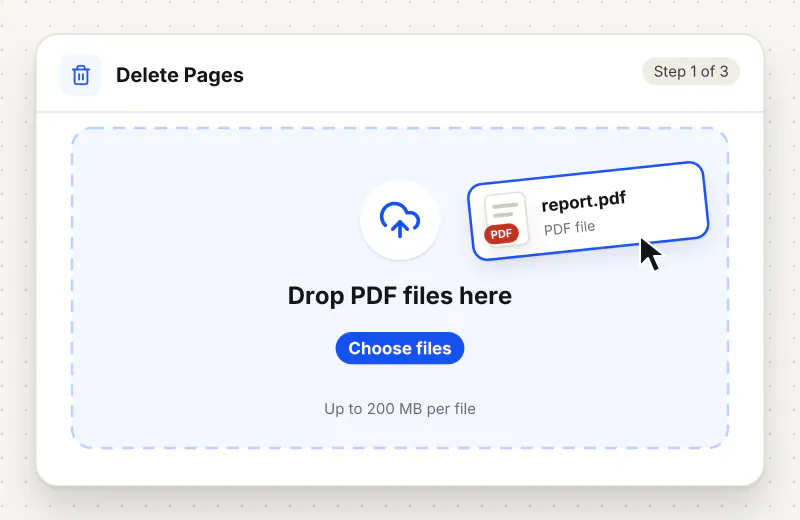
Step 1: Upload the PDF
Drag the PDF into the drop zone or click Choose a PDF file. The file can be up to 2 GB and 2000 pages; thumbnails of every page appear once it loads.
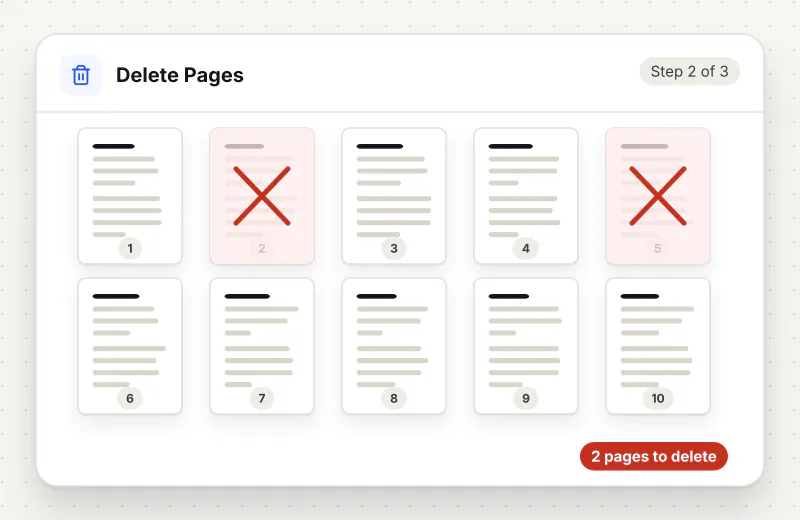
Step 2: Click the pages to remove
Under Select pages to delete, click each page you want gone. Marked pages are flagged and the counter shows how many are marked. Click a marked page again if you picked it by mistake.
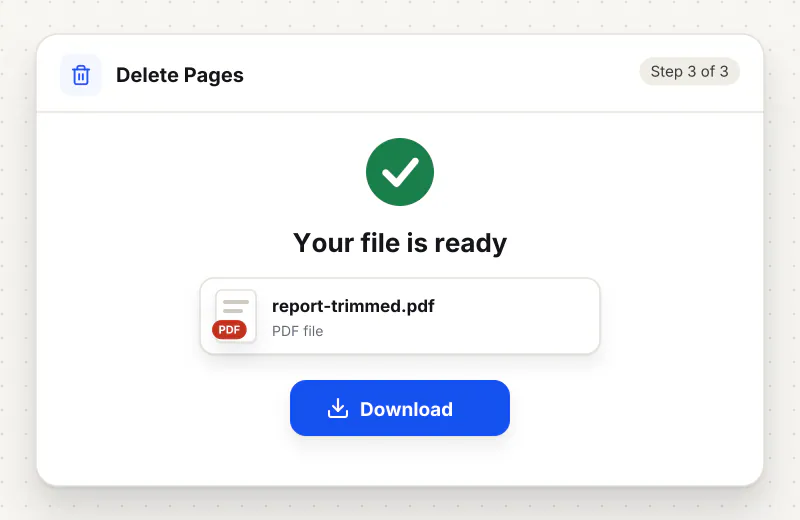
Step 3: Apply and download
Click Delete pages. Download the new PDF and scroll through it once to confirm the right pages went.
In short
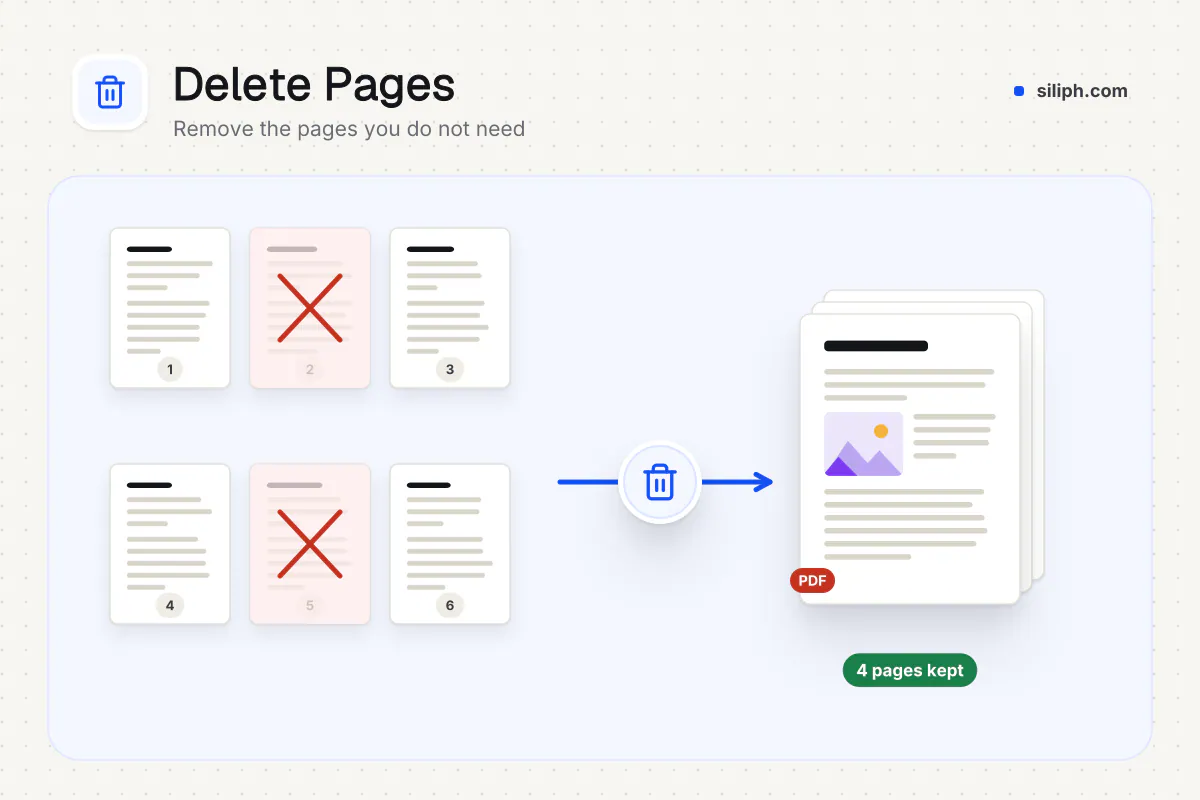
Remove blank pages from a PDF, such as the empty backs of duplex scans, and download a cleaner file for sharing or printing. Free, no account needed.
Small files stay on your device.
Bigger files use an encrypted upload.
- No account, no sign-up
- Larger files go over HTTPS and are deleted automatically within 2 hours
- Never sold, never viewed by a person
When to use it
- You need the result quickly and cannot install desktop software
- You are working from a phone, tablet or shared computer
Everything else about Delete Pages
Remove Blank Pages from PDF is Delete Pages with this page's settings filled in. The full feature list, the free-plan limits and the general questions about the tool are on its main page, so they are not repeated here.
Questions about Remove Blank Pages from PDF
How do I remove blank pages from a PDF?
Upload the PDF, click blank page thumbnails (or enter page numbers), then download the cleaned file without those pages.
Does deleting pages change my original file?
Your original file on your device is untouched. Siliph creates a new PDF with only the pages you keep.
Can I delete multiple pages at once?
Yes. Select several thumbnails or type comma-separated page numbers before processing.
Is it free, and do I need an account?
Yes. It is free, with no account to create and no daily limit. Files uploaded for processing are deleted from Siliph servers within two hours.
Is my file private and secure?
Yes. Delete PDF Pages runs on your phone or computer, so your file usually stays there. Only a file too big to handle on your device goes to our servers: it travels over HTTPS, is stored encrypted, is processed by machines with no person looking at it, and is deleted automatically within 2 hours. Siliph never sells your files. How we protect your files
Embed this tool on your site
Add Delete Pages to your blog or website for free, with a credit link back to Siliph.
Get the embed code
Embed code (iframe)
<iframe src="https://siliph.com/remove-blank-pages-from-pdf/?embed=1" title="Delete Pages — Siliph" width="100%" height="620" style="border:0;border-radius:12px;max-width:900px;" loading="lazy" allow="clipboard-write"></iframe>
<p style="font-size:12px;color:#666;margin-top:8px;">Free tool by <a href="https://siliph.com/remove-blank-pages-from-pdf/" rel="nofollow">Siliph</a></p>
Credit link for blog posts and tool lists
<p style="font-size:12px;color:#666;margin-top:8px;">Free tool by <a href="https://siliph.com/remove-blank-pages-from-pdf/" rel="nofollow">Siliph</a></p>
Direct link: siliph.com/remove-blank-pages-from-pdf/